Most people hand over their digital lives to their web browsers or proprietary vaults without a second thought. Saving passwords in Chrome, Safari, or a closed-source manager is like leaving the master key to your house under the welcome mat. (If you want true browser isolation, you need an anti-detect browser like Dolphin Anty). The convenience is seductive, but the security model is fundamentally broken. It is a massive honeypot waiting to be exploited.
The Illusion of Convenience (Why You Must Leave LastPass)
The harsh reality of cybersecurity is that centralizing data in proprietary, closed-source ecosystems inevitably leads to disaster. When you use a commercial password manager that hides its source code, you are forced to blindly trust their marketing team.
History has proven this trust is misplaced. Major data breaches at companies like LastPass have exposed millions of encrypted vaults to malicious actors. When a cloud-hosted, proprietary system is compromised, the attackers often steal the vaults offline. From there, they have infinite time to brute-force weak master passwords.
To reclaim your digital sovereignty, you must migrate to open-source solutions. Open-source means the cryptographic code is publicly auditable. Security researchers constantly probe it for vulnerabilities, ensuring there are no backdoors. When choosing an open-source password manager, you have two elite options depending on your threat model: Bitwarden and KeePassXC.
Bitwarden: The Tactical Zero-Knowledge Cloud
If you require the convenience of cloud synchronization across multiple devices—laptops, smartphones, and tablets—without sacrificing security, Bitwarden is the tactical standard.
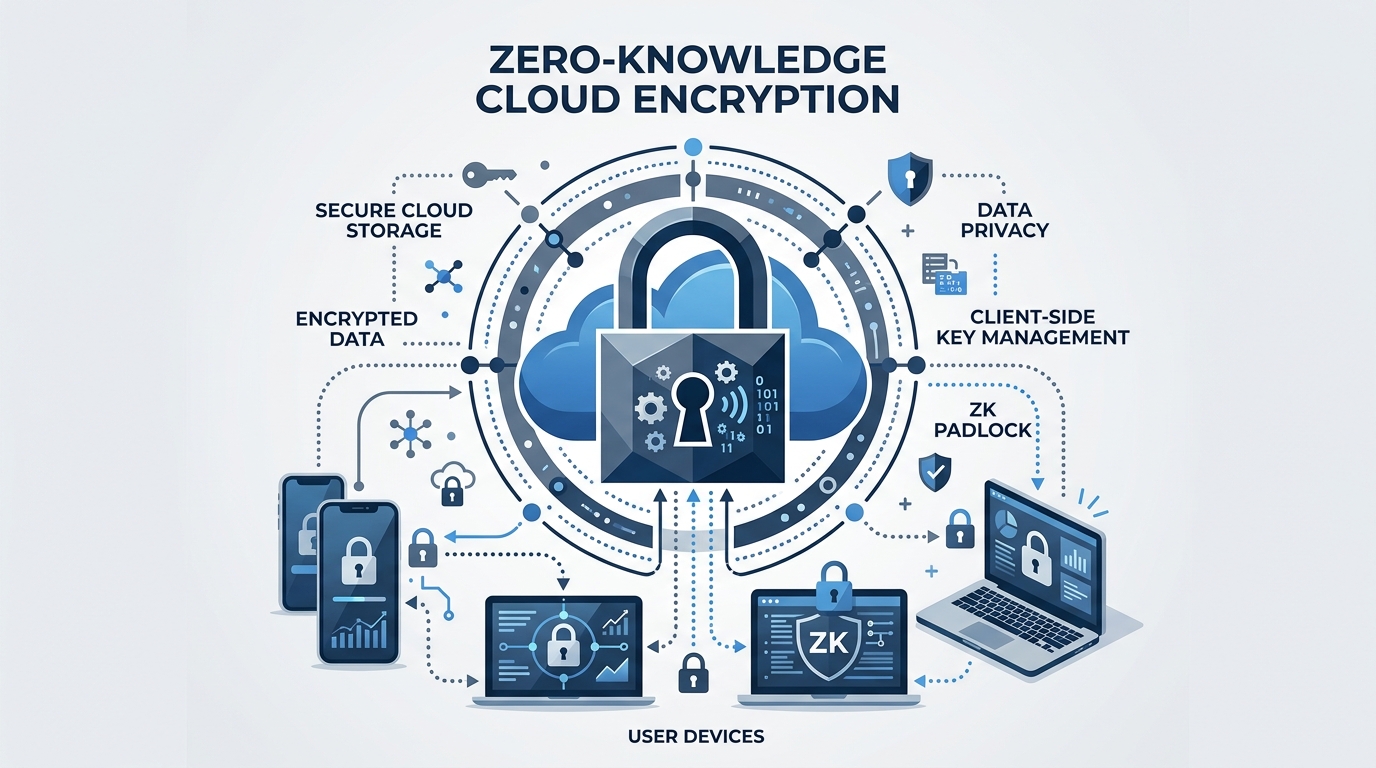
Bitwarden operates on a “Zero-Knowledge” architecture. This means your vault is encrypted with AES-256 bit encryption locally on your device before it ever touches their servers. Bitwarden’s servers only store a scrambled, unreadable blob of data. They do not know your master password, and they cannot decrypt your vault. Even in the event of a catastrophic server breach, the attackers get nothing but ciphertext.
Furthermore, Bitwarden is 100% open-source. For those who want ultimate control, you can self-host the entire Bitwarden infrastructure on your own private server, completely severing your reliance on third-party cloud providers.
KeePassXC: Absolute Air-Gapped Sovereignty
For high-value targets, whistleblowers, or those who simply refuse to put their passwords on the internet, KeePassXC is the uncompromising choice.
Unlike Bitwarden, KeePassXC is not a cloud service. It is a local application that stores all your credentials in an encrypted .kdbx database file. This database lives directly on your hard drive or a secure USB stick. It is entirely air-gapped, meaning it never communicates with the internet.
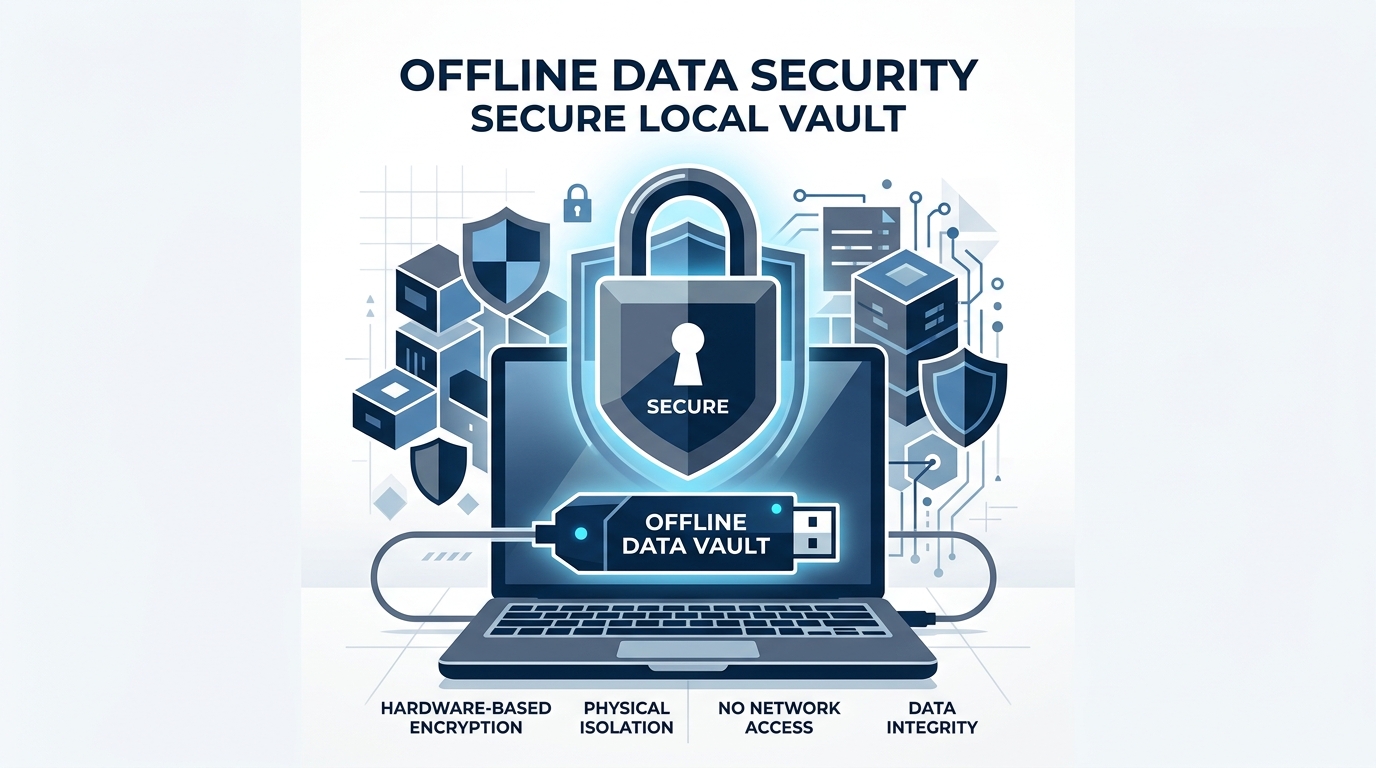
This localized approach requires more manual effort to synchronize across devices (often requiring tools like Syncthing or manual USB transfers), but it eliminates the risk of remote server breaches entirely. It is the default password manager integrated into amnesic operating systems like Tails OS.
For maximum OpSec, you can lock your KeePassXC database (or your Bitwarden account) using a physical hardware key. We strongly recommend reading our guide on The Ultimate Lock: Why SMS 2FA is a Trap and YubiKey is Mandatory to learn how hardware tokens can make your vault virtually impenetrable.
If you are ready to upgrade your entire threat model, check out our complete survival blueprint: The Dawn of Resilience Trilogy.
Frequently Asked Questions (FAQ)
What happens if I forget my Master Password?
In a true Zero-Knowledge system like Bitwarden or KeePassXC, there is no “forgot password” button. If you lose your Master Password, you lose your vault forever. It is imperative to write it down on a physical piece of paper and store it in a secure location (like a fireproof safe).
Is it safe to use my browser’s built-in password manager?
No. Browsers like Chrome or Edge are designed for convenience, not high-level security. They are prime targets for malware and info-stealers that can silently extract your saved passwords. Always disable the browser’s built-in password manager and use a dedicated open-source extension instead.
Can I migrate my passwords from LastPass or 1Password easily?
Yes. Both Bitwarden and KeePassXC offer seamless import tools. You simply export your current vault as a CSV file and import it directly into your new, secure vault. Ensure you permanently delete the unencrypted CSV file immediately after the import.
The Master Key
Your master password is your Single Point of Failure. If an attacker guesses it, the encryption algorithms do not matter. Stop using simple words or variations of your name. You must transition to a “passphrase”—a sequence of four or five random words (e.g., battery-horse-staple-correct) that is easy for a human to memorize but mathematically impossible for a computer to brute-force.
In the shadows of the digital grid, your credentials are your identity. Protect them as if your freedom depends on it.
Aura watched the progress bar hit 100%. She carefully extracted the rugged USB drive from the terminal, securing the encrypted KeePassXC vault deep inside her Faraday bag. In her line of work, trusting the cloud was a luxury she couldn’t afford. The real war was fought offline, in the dark, where only the paranoid survive. To understand the stakes of this invisible war and learn the tactics to protect yourself, you need to read the manual they don’t want you to have.