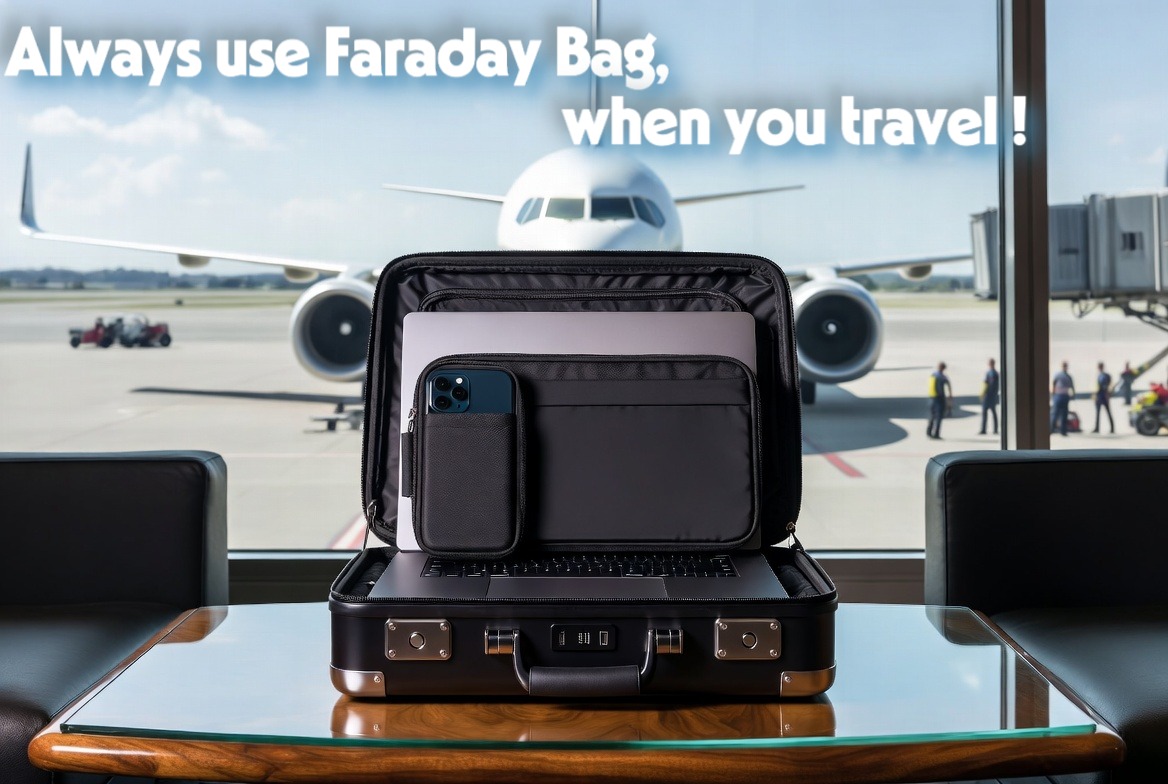
For attorneys, financial consultants, venture capitalists, and executives, a laptop is not just a productivity tool. It is a highly concentrated vault containing the industrial and financial secrets of their clients. When you step out of the corporate office with your devices, you are carrying your clients’ reputations in your backpack.
There is a widespread illusion among professionals that setting up Two-Factor Authentication (2FA) and using encrypted hard drives is sufficient to guarantee data security on the go. While these software protocols are essential, they create a false sense of invincibility.
In reality, cybersecurity does not end at the software layer; it extends into the physical and electromagnetic realms. In this article, we will reveal the blind spots of standard software encryption and demonstrate how to genuinely protect client information by neutralizing physical and wireless vulnerabilities using electromagnetic isolation.
The Blind Spots of Software Encryption
Software encryption—such as BitLocker for Windows or FileVault for macOS—is brilliant at doing exactly one thing: protecting your data “at rest.” If your laptop is powered down, stolen, and the hard drive is physically removed, the thief will not be able to read the files.
However, professionals rarely travel with their devices fully powered down. We close the laptop lid, placing the machine into “Sleep Mode.” In this state, the encryption keys are often still held in the device’s RAM to allow for a quick wake-up. More dangerously, your Wi-Fi and Bluetooth antennas frequently remain active, periodically polling for known networks or background updates.
This active state leaves you highly vulnerable to “live exploits.” As we discussed in our guide to Coworking Space Security, any environment where your device is broadcasting its presence is an opportunity for malicious actors to execute Man-in-the-Middle attacks or exploit baseband vulnerabilities. Software encryption cannot protect you if the operating system itself is tricked into granting access via an invisible wireless connection.
Physical Security Flaws in Hotels and Transport
When traveling for business, your environment is fundamentally untrusted. Consider the traditional hotel room safe. Many professionals lock their devices inside these safes, believing they are secure. In reality, most hotel safes have master override codes or physical bypass keys accessible to dozens of staff members. But the true threat isn’t just physical theft; it is proximity exploitation.

If your laptop is in a hotel safe in Sleep Mode, an attacker in the adjacent room or the hallway can easily initiate a wireless attack. The thin metal of a standard safe provides absolutely no electromagnetic shielding. Your device can be pinged, probed, and potentially compromised while you are out at dinner.
The same risk applies to VIP airport lounges and high-speed trains. In these densely packed, affluent environments, corporate espionage is a realistic threat. Attackers use concealed RFID scanners and Bluetooth sniffers to map vulnerable devices in the room. Simply leaving your smartphone on the table or your laptop in your bag without shutting down its antennas exposes client information to stealth, proximity-based data harvesting.
The Executive Standard: Electromagnetic Isolation
To guarantee absolute confidentiality, professionals must adopt the “Executive Standard” of cybersecurity: physical hardware isolation.
If you are carrying sensitive client information, you must treat your devices with the same level of security as a physical diplomatic pouch. This is achieved by using a military-grade Faraday bag.
When your laptop or smartphone is placed inside a Faraday bag and the seal is closed, the device is instantly disconnected from the electromagnetic spectrum. It cannot emit Wi-Fi, Bluetooth, cellular, or GPS signals, and it cannot receive them. The bag acts as an impenetrable physical firewall.
By using electromagnetic isolation, you guarantee to your clients that their data will never “leak” through an unauthorized wireless connection while in transit. Whether your laptop is sitting in an airport lounge, resting in a hotel safe, or being carried through a crowded subway, a Faraday bag ensures that your hardware is functionally invisible and entirely impervious to remote exploitation.
🛡️ The Arsenal: Upgrade Your Confidentiality
Your clients’ trust is worth infinitely more than the price of your hardware. Do not leave their sensitive data exposed to invisible wireless threats. Secure your devices with military-grade isolation.
👉 Discover our selection of premium Faraday Bags in The Arsenal
FAQ: Protecting Client Data on the Go
Isn’t a locked screen enough when traveling?
No. A locked screen only prevents someone from physically interacting with your user interface. It does not power down your Wi-Fi, Bluetooth, or NFC antennas. Malicious actors use these active, invisible connections to bypass the lock screen entirely and access data remotely.
What should I look for in a travel security bag?
You must look for comprehensive electromagnetic shielding, not just “RFID blocking.” A true Faraday bag blocks all frequencies, including high-band cellular (5G), Wi-Fi routers, and Bluetooth. Additionally, ensure the bag is appropriately sized to fit your entire laptop, not just your passport or credit cards.
Do I need to turn off my devices inside a Faraday bag?
While the bag blocks all signals, your device will constantly attempt to find a network, which can drain the battery quickly. To preserve battery life during long trips, it is highly recommended to power down the device or switch it to Airplane Mode before sealing it inside the Faraday bag.
In Conclusion
Professional responsibility does not end when you log out of your software. Protecting client information requires maintaining absolute control over your device’s physical and electromagnetic environment. By acknowledging the limitations of software encryption and implementing physical Faraday shielding, you ensure that your clients’ secrets remain strictly confidential, no matter where business takes you.
📚 Go Further: The Dawn of Resilience
Securing client data in transit is a crucial professional skill, but are you prepared to secure your own life during a systemic crisis?
Discover what true preparedness looks like in The Dawn of Resilience.